How to Initialize a Certero On-Premises platform | v8+


With Certero Provisioning there is an option in the drop down menu next to the Tenant name: Initialize.
This option will revert the Tenant to a blank database and should therefore only be used if this is the desired outcome.
SaaS Hosted customer Initializations are managed by Certero.
1. RDP into your Provisioning Services host.
2. Navigate to https://localhost:9000

3. Click the "Email" field.

4. Type "admin@cps.local".

5. Click the "Password" field and enter your password.

6. Click "Sign In".

7. Click "Tenants"

8. Click the three blue dots.

9. Click "Initialize"

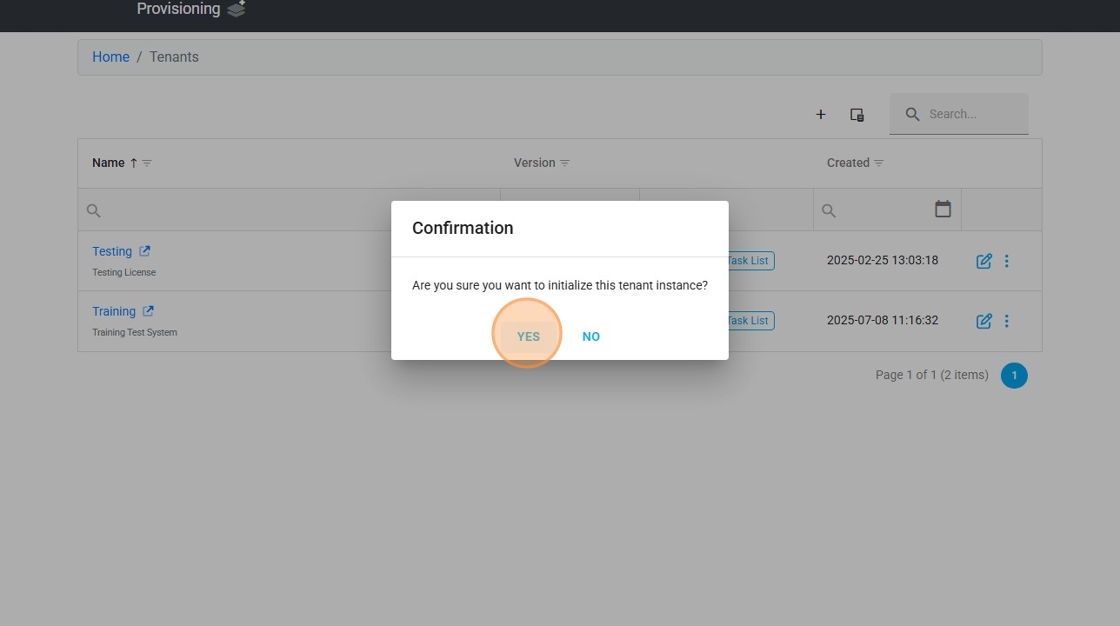
10. Click "Yes"
Selecting this option will give the following warning:
Initializing a tenant will revert the deployed instance back to its initial state. Please ensure that a recent backup has been downloaded from Provisioning Services if you think you may later need to restore the tenant back the current state.
11. Your tenant will initialize and revert back to its initial state.
