How do I submit Software Recognition Requests? | v8+


One of the challenges in licensing software is that the inventory data that is collected includes a large amount of software products that are:
Unrecognized
Free
Non-Licensable
This can include Service packs and system software. Therefore, Certero will clean up this data by identifying and categorizing into a manageable list of software.
This is completed through the Software Recognition Database, which is centrally maintained by Certero.
In addition to the regular SRS releases provided by Certero through the Customer Center, customers may also request SRS on demand. For Example, a customer may want to request a specific product to be categorized, these requests will be prioritized.
Follow the instructions below on how to submit your software to be categorized:
Exporting software from Certero
1. Navigate to your Certero Platform.

2. Click the burger icon.

3. Click "Software".

4. Click "Windows Software".
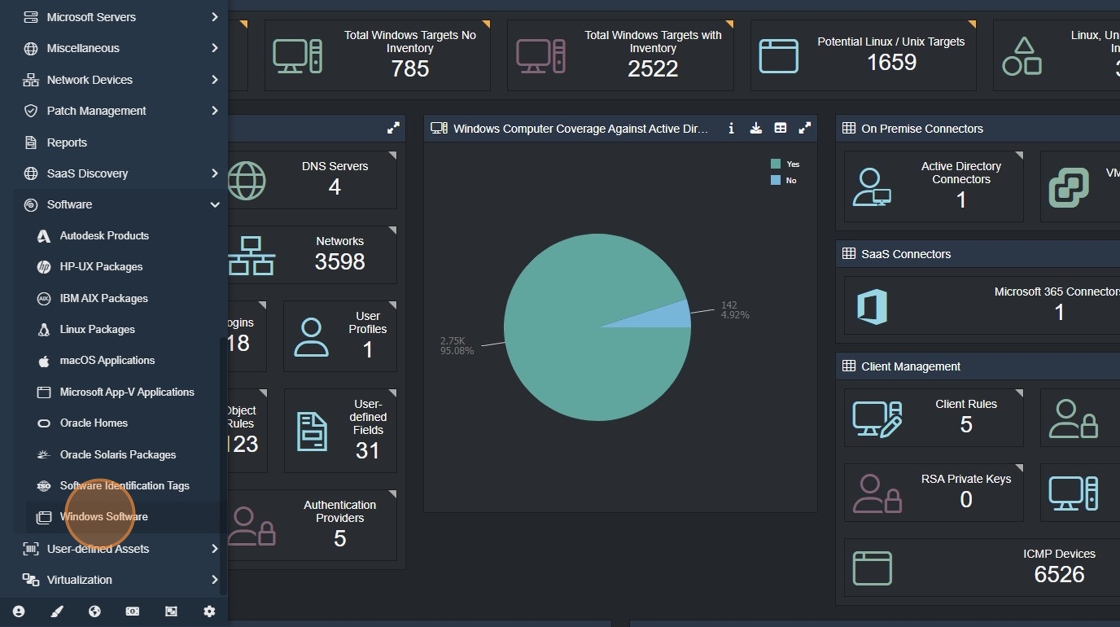
5. Apply criteria to focus on the software you want categorized. In this example we will filter on the "Publisher".
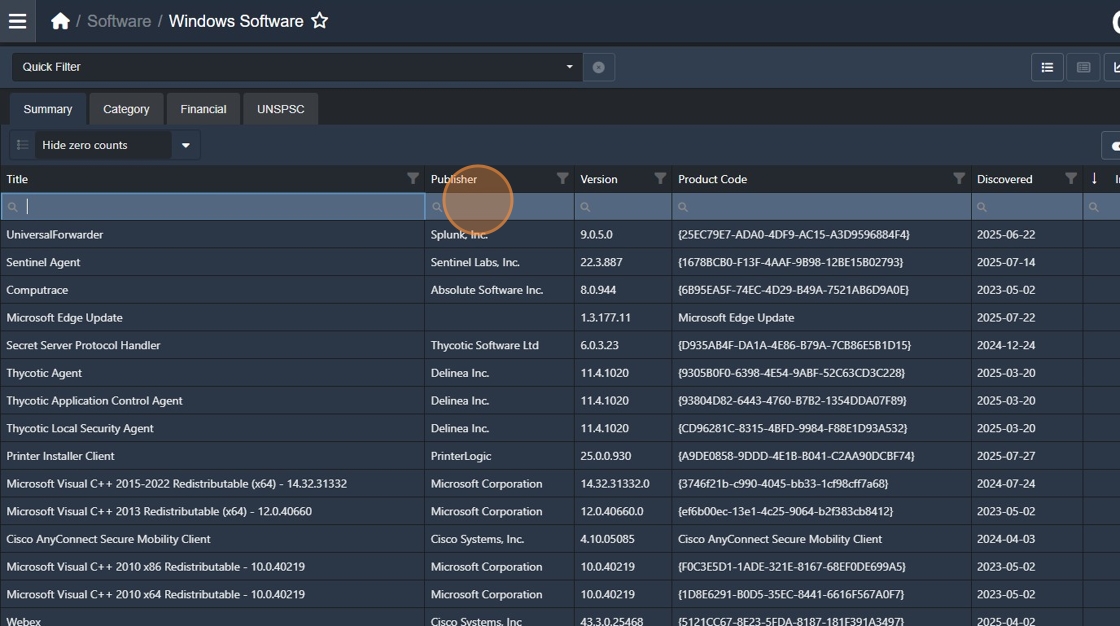
6. Type "Microsoft".

7. Click "Export".

8. Click "Tab delimited (.txt)".

9. Click "OK".

Submitting software to Certero
There are three ways in which to submit your software. Certero’s preferred way is to Submit a Request, however there are other ways if there are issues around security or file size. The three ways are described below:
1. Submit a Request
Within the Customer Center Helpdesk, click on Submit a Request
Set the topic as Software Recognition Request
Fill out the relevant sections
In the Description section, state if there are any specific products that need prioritizing and provide details of Publisher, Product and Version
State the Priority as per descriptions
Ensure you attach the Tab Delimited file of your Windows software
2. Submit via Email
Send an email to helpdesk@certero.com (this will automatically raise a ticket to the helpdesk)
Ensure you state the subject as Software Recognition Request
Attach your Tab delimited file of your Windows Software to the email
Like above, state any specific products that need prioritizing and provide details of Publisher, Product and Version
3. Submit via My Files
Navigate to https://cc.certero.com/MyFiles
Upload your Tab delimited file under the My Files section in the Customer Center
To notify us of this upload, please Submit a Request as highlighted above
For instructions on how to download and apply SRS definitions, please review this article: